🎓 A Student's Guide to Ally
Classes back-to-back. Three readings due Thursday. A group project nobody's started. A part-time shift, a club meeting, and somehow you're supposed to have a life too. If your to-do list currently lives across sticky notes, screenshots of the syllabus, and pure vibes, this guide is for you.
Ally is an AI-native workspace built to hold everything a student juggles — every assignment, reading, exam, and personal goal — in one calm, organized place. The goal isn't to become a productivity robot. It's to get all the noise out of your head so you can focus on the work that matters (and actually enjoy your downtime without a nagging feeling that you're forgetting something).
Let's set you up for a semester that runs on rails.
🗂️ How Ally Is Organized
Before you build anything, it helps to know how Ally stacks up. Everything nests, from big to small:
- Workspaces — your whole world (e.g., "University"). You can keep a separate one for personal life if you like.
- Folders — group related projects (e.g., a "Fall Semester" folder holding all your course projects).
- Projects — one per course, or one per big personal goal.
- Sections — columns inside a project (e.g., Readings, Assignments, Exams).
- Tasks — the actual things you do ("Read Chapter 4").
- Sub-tasks — the smaller steps inside a task.
You don't need all of these on day one. Most students live happily with Projects → Sections → Tasks. Add folders and workspaces later if things get busy.
📚 Setting Up Your Semester
The single highest-value hour you'll spend all term is setting up your courses before week one gets loud.
One project per course
Create a project for each class: Intro to Psychology, Calculus II, European History. Group them in a Folder called "Fall Semester" so they're tidy in your sidebar and easy to archive when the term ends.
💡 Start from a template. Instead of building from scratch, create your project from the Student Planning template. It comes pre-built with sensible sections like Assignments, Readings, Exam Dates, and Resources — so you just pour your syllabus in.
Pour in your syllabus
Open each syllabus and add every dated item as a task the moment you set up the course:
- Each assignment with its due date
- Every exam and quiz
- Weekly readings (these are perfect for recurring tasks — more below)
- Project milestones
Ten minutes per class now saves you from the "wait, that was due today?" panic later. When the whole semester is in Ally, your brain gets to stop being a calendar.
Add projects for the rest of your life
You are not only a student. Make projects for the things that keep you human: Fitness, Social & Events, Reading for Fun, Job Applications. Putting personal goals in the same system as coursework is how you actually protect time for them.
⚡ Capture Everything, Instantly
The professor mentions a pop quiz next Tuesday. A classmate reminds you the lab report moved up a day. Great ideas and new obligations arrive constantly — and the ones you don't capture in five seconds are the ones you forget.
Ally gives you three fast ways to capture:
- + Add task — the button inside any project or view.
- Quick Add — press
qanywhere in Ally to drop a task in without losing your place. Type it, hit enter, keep moving. - Voice — speak the task when your hands are full or you're walking between buildings.
✅ The golden rule: capture first, organize later. Don't sort while you're in class. Fire tasks into your Inbox with Quick Add, then tidy them into the right course project during your weekly review.
Anything that lands without a home shows up in your Inbox view — think of it as your catch-all landing pad. Empty it regularly by dragging tasks into the right project and adding a due date.
📅 Due Dates vs. Deadlines (Yes, They're Different)
This trips people up, and it's genuinely useful once it clicks:
- A due date is when you plan to work on something — when it shows up in your Today view.
- A deadline is when it's actually due to the professor — the hard, non-negotiable date.
So for an essay due Friday, you might set the deadline to Friday but give yourself a due date of Wednesday to start writing. Ally keeps the real deadline visible while your planned start date drives your daily list. This is how you stop finishing things at 11:58 PM.
Recurring tasks for the weekly grind
Weekly readings and regular study blocks shouldn't be re-entered by hand. Set a task to repeat — "every Sunday," "every Monday and Wednesday" — and Ally rolls it forward automatically. Perfect for:
- Weekly readings for each course
- Recurring study sessions (great for spaced repetition — small, regular reps beat one giant cram)
- Weekly review of your whole system
🧩 Breaking Big Assignments Into Small Wins
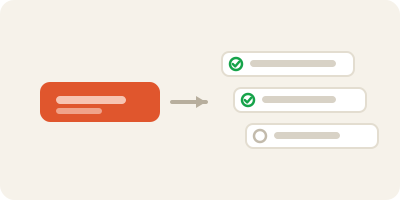
A task that reads "Write 12-page research paper" is a task you will avoid. It's too big, too vague, and staring at it just makes you anxious.
The fix: break it into sub-tasks. Open the task and add the real steps:
- Choose a topic
- Find 5 sources
- Write outline
- Draft introduction
- Write body sections
- Edit and cite
- Final proofread
Now instead of a wall, you have a staircase. Each sub-task you check off is a small hit of momentum.
🤖 Let the AI do the breakdown. Ally is AI-native — the assistant can take a big assignment and break it into sensible sub-tasks for you. Give it the goal ("break down my psych research paper due in 3 weeks") and let it draft the steps. Adjust to taste.
You can also add a description to any task for notes, links, and requirements — and use Enhance with AI to clean up or expand what you've jotted. Drop the assignment brief in the description so everything you need is right there when you sit down to work.
👥 Group Projects Without the Chaos
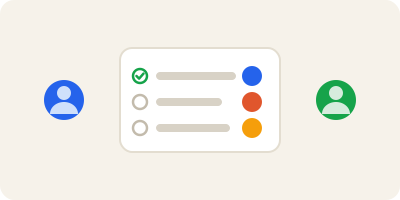
Group projects fail for one reason: nobody knows who's doing what. Ally fixes that.
Start a shared project from the Student Project template, then:
- Share the project with your teammates so everyone sees the same plan.
- Assign tasks to specific people — "Priya: slides," "Marcus: research," "you: intro + editing." No more "I thought you were doing that."
- Set due dates and deadlines so the timeline is visible to all.
- Keep discussion in task comments instead of a scattered group chat — the conversation lives right next to the work it's about.
🗂️ Switch to Board layout for group work. Use the Display menu to flip the project into Board view, with columns like To Do, In Progress, and Done. Dragging a card across the board is the most satisfying way to see a project move — and everyone can see progress at a glance.
🔭 Planning Your Week (and Surviving Exam Season)
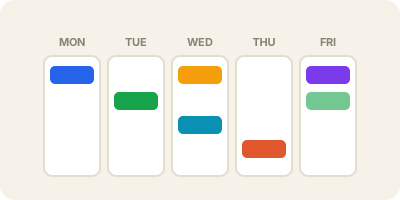
Two views do most of the heavy lifting for daily life:
- Today — everything due or scheduled for today, across every course. This is your command center each morning. If it's not in Today, it's not on your plate right now — which is permission to relax.
- Upcoming — the days ahead laid out in order. Use this on Sunday nights to see what's coming and spread work out before it piles up.
The weekly review (your secret weapon)
Pick one day — Sunday evening works for most people — and spend 15 minutes:
- Emptying your Inbox into the right projects
- Checking Upcoming for the week ahead
- Adding due dates to anything that starts work before its deadline
- Breaking down any big assignment that's now within range
This single habit is the difference between a system that runs your life and a pile of tasks you ignore.
Calendar layout for exam season
When finals hit and everything clusters, switch a project (or your task views) to Calendar layout via the Display menu. Seeing your exams and assignment deadlines spread across a real calendar makes crunch visible — and shows you the free days where you can slot in study sessions before they vanish.
🏷️ Labels, Filters & Priorities Across Courses
Your tasks live in separate course projects, but sometimes you want to slice across all of them — "show me every reading, no matter the class." That's what labels and Filters & Labels are for.
Tag tasks with labels like:
@reading— batch all your readings and knock them out in one focused block@exam— everything exam-related in one view@writing,@research,@errand— group by the type of work@quick— tiny tasks for when you have ten spare minutes
Then use Filters & Labels to build views like "all @reading due this week" across every course. Batching similar work beats task-switching every time.
Priorities
Give tasks a priority so the important stuff stands out. A simple rule: reserve top priority for graded, deadline-driven work, and let low-stakes tasks sit lower. When your Today view is crowded, priorities tell you what to touch first.
🐢 Beating Procrastination
Procrastination usually isn't laziness — it's a task that's too big or too vague to start. Ally's job is to make the next step tiny and obvious.
- Shrink the next action. "Write essay" is scary. "Open doc and write one messy paragraph" is not. Add that as a sub-task and just do that one thing.
- Use the 2-minute rule. If something takes under two minutes — reply to that email, add the reading to your list — do it now instead of tracking it. Tag truly-tiny tasks
@quickfor low-energy moments. - Show up daily, not heroically. A recurring 25-minute study block every day beats a panicked 8-hour session the night before. Small and consistent wins.
- Let momentum carry you. Checking off sub-tasks is addictive in the best way. Break the mountain into pebbles and start with the smallest one.
🌱 Personal Goals: More Than Just Coursework
Ally isn't only for surviving school — it's great for the goals you choose. Say you want to learn Spanish this semester.
Start a project from the Language Learning template. It gives you a ready structure for a personal-goal project — vocabulary, practice sessions, milestones — that you can fill with recurring tasks like "10 minutes of practice, daily" and label with @spanish. Treating a personal goal with the same care as an assignment is exactly how it stops being a someday-maybe and becomes a habit.
The same approach works for fitness, side projects, reading lists, or building a portfolio. If it matters to you, give it a project.
Save your setup for next semester
Nailed a course structure that works? Use Save as template on any project to reuse it later — or share it with a friend who's taking the same class next term. Build it once, reuse it forever.
✨ Tips to Get More Out of Ally
- Keep Today short and honest. Only schedule what you'll realistically do. A Today view you trust is a Today view you'll actually open.
- Comment as you research. Drop links, professor hints, and voice notes into a task's comments so everything's in one place when you sit down to work.
- Match views to layouts. List for daily tasks, Board for group projects, Calendar for exam season. Switch anytime via Display.
- Check Reporting. Peek at your Reporting view now and then to see what you've completed. Seeing your own progress is quietly motivating.
- Protect the fun. Schedule social plans, workouts, and rest as real tasks. If it's not on the list, it gets squeezed out.
🚀 Get Started in 5 Steps
- Create a project for each course — start each one from the Student Planning template, grouped in a "Fall Semester" folder.
- Pour in your syllabi — add every assignment, exam, and reading with due dates and deadlines; set weekly readings to recur.
- Capture everything with Quick Add (
q) or voice — get obligations out of your head and into your Inbox the instant they appear. - Break down your first big assignment — open it, add sub-tasks (or let the AI do it), and start with the smallest step.
- Do a 15-minute weekly review — every Sunday, empty your Inbox, scan Upcoming, and plan the week ahead.
That's it. Set it up once, keep it lightly tended, and let Ally carry the mental load — so you can spend your energy on the actual learning, and the actual living. You've got this. 🎓